Understanding Your Plan, Credits & Billing
Overview
The Billing page is where you see your current plan, track your credit balance, and manage payments. Everything you spend across SmartlyQ - articles, images, video exports, and more - draws from your plan and credits, so this is the page to check whenever you want to understand your usage or upgrade.
Where to find it
Open Settings from the sidebar, then select the Billing tab.
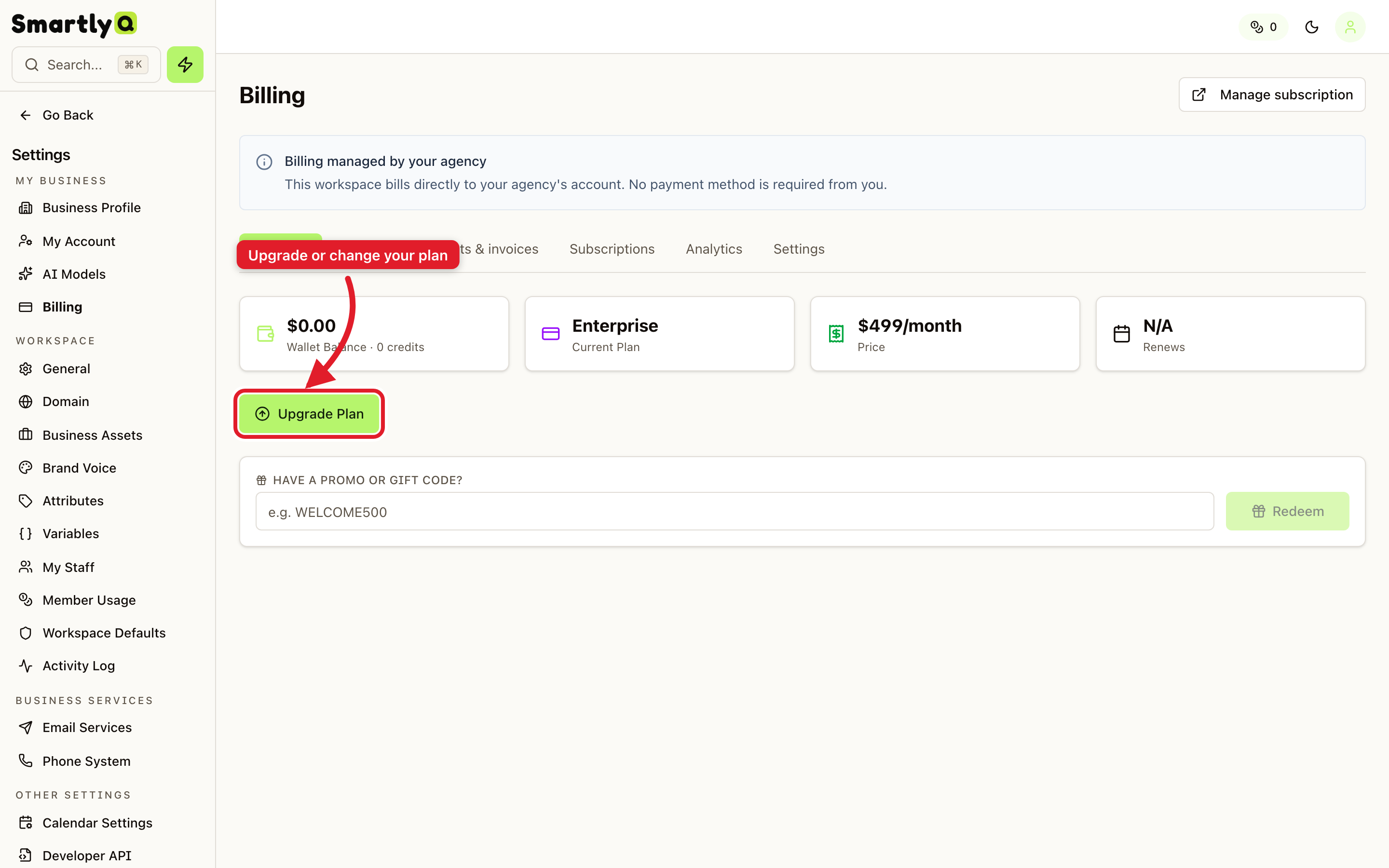
What you can see and do
At the top you get an at-a-glance summary:
- Wallet balance - the credits currently available to your workspace.
- Current plan - the plan your workspace is on (for example, Starter, Pro, Business, or Enterprise).
- Price and renewal date - what you pay and when it renews.
Below the summary you can:
- Upgrade Plan - move to a higher plan for more capacity and features.
- Manage subscription - open the billing portal to update payment details or change your subscription.
- Redeem a promo or gift code - enter a code to add credits or a discount.
The tabs across the top let you dig deeper:
- Wallet - your credit activity and top-up history.
- Payments & invoices - download invoices and view payment history.
- Subscriptions - review your active subscription details.
Credits and top-ups
Credits are consumed automatically as you create content. If you run low, you can upgrade your plan for a larger monthly allowance, or top up your wallet directly. To avoid interruptions during busy periods, you can also enable auto-recharge so your balance tops up on its own when it dips below a threshold you set.
Tip: If your workspace is managed by an agency, billing is handled on the agency's account - you will see a note here and won't need to add a payment method yourself.