Rebilling: Sell SmartlyQ Credits to Your Clients
Overview
Rebilling lets your agency resell SmartlyQ credits to your clients at your own prices. You fund a central agency wallet, create credit packages, and your clients buy them from you - so you can run SmartlyQ as a profitable SaaS under your own brand.
Where to find it
Open the Platform console, then go to Billing (and the Rebilling / Packages sections).
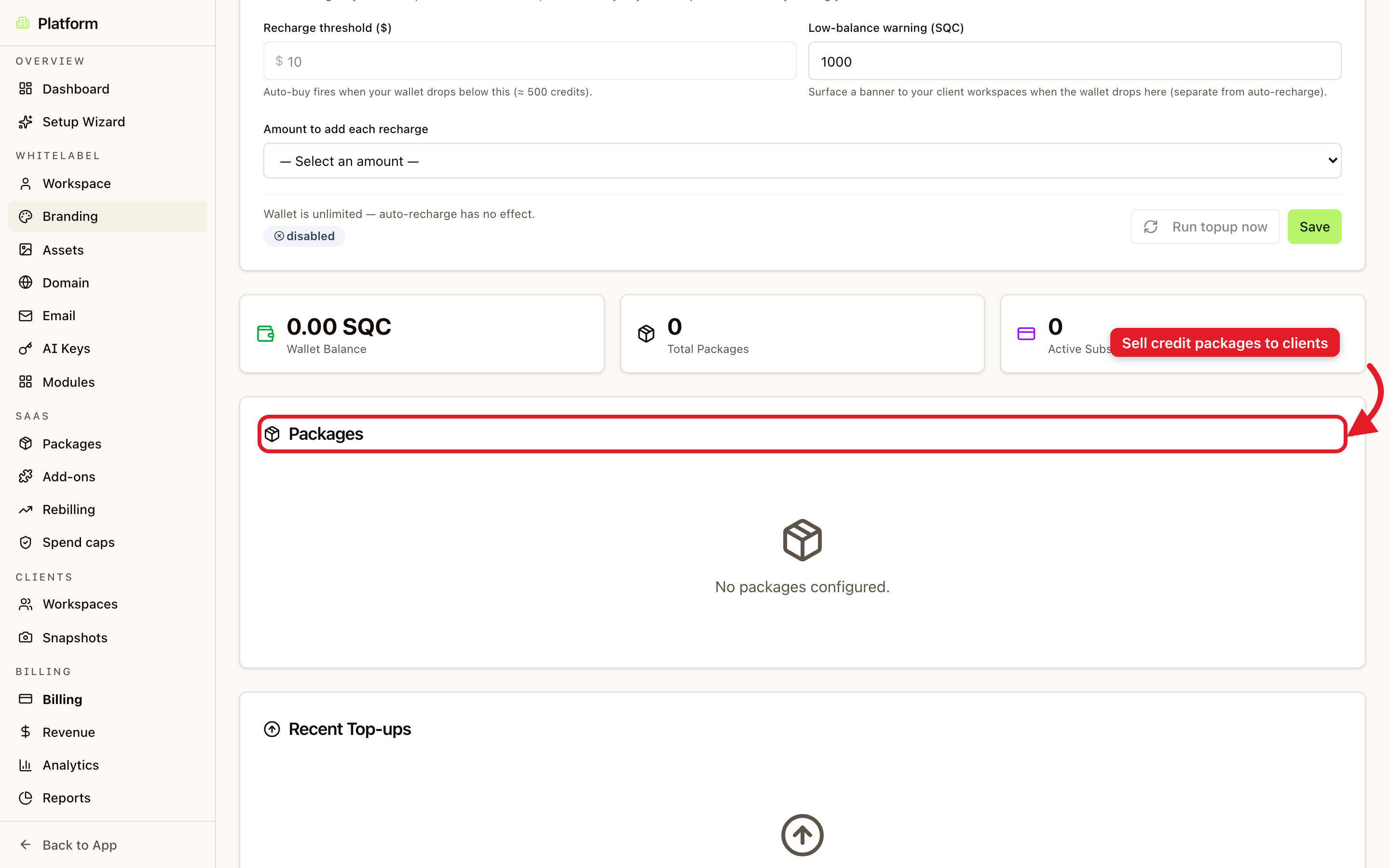
The agency wallet
Your agency wallet funds all client activity. To keep it topped up automatically, configure auto-recharge:
- Recharge threshold - the balance at which a top-up fires.
- Amount to add each recharge - how much to add each time.
- Low-balance warning - surface a banner to client workspaces when the wallet runs low.
You can also Run top-up now to add funds immediately.
Selling credit packages
In the Packages section you create the credit bundles your clients can buy. For each package you set the number of credits and your price - the difference between what you pay SmartlyQ and what you charge your client is your margin.
Tips
- Connect your Stripe account first so client payments flow directly to you.
- Set clear package tiers (for example small, medium, large) to make buying easy for clients.
- Use spend caps alongside rebilling to protect your wallet from any single client over-consuming.