Rank Tracking: Monitor Your Search Positions
Overview
Rank Tracking monitors where your website ranks in search results for the keywords you care about, and shows how those positions change over time. It's how you prove your SEO is working and catch drops early.
Where to find it
From the sidebar, open SEO > Rank Tracking.
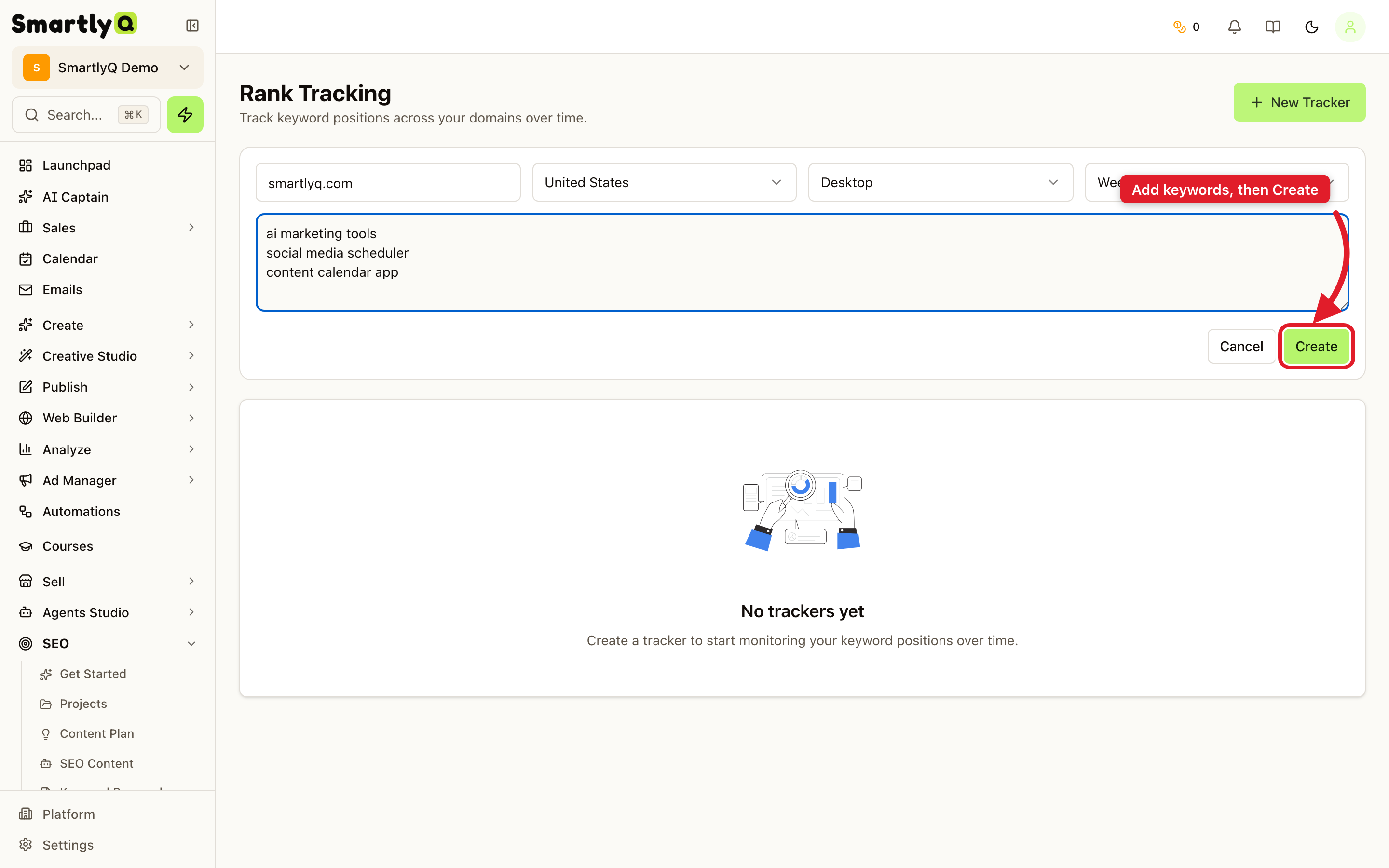
Creating a tracker
- Click New Tracker.
- Enter the domain you want to track (for example,
smartlyq.com). - Choose the country, device (Desktop or Mobile), and how often to check (for example, Weekly).
- Add the keywords to track - one per line, or comma-separated.
- Click Create.
SmartlyQ then checks your positions on the schedule you set and builds a history over time.
What you get
- Current position for each tracked keyword.
- Position history so you can see trends, gains, and drops at a glance.
- Per-device and per-country tracking, so you see rankings exactly as your audience does.
Tips
- Track the keywords that matter - your money pages and target terms, not every keyword.
- Check both Desktop and Mobile if your audience is split.
- Review regularly - a sudden drop is an early warning to investigate a page or a competitor.