Member Usage & Spend Caps
Overview
Member Usage shows how many credits each person in your workspace has spent during the current billing cycle - and lets you set a spend cap per member so no single teammate can drain the shared wallet. It's the simplest way to keep costs predictable when several people are creating content.
Where to find it
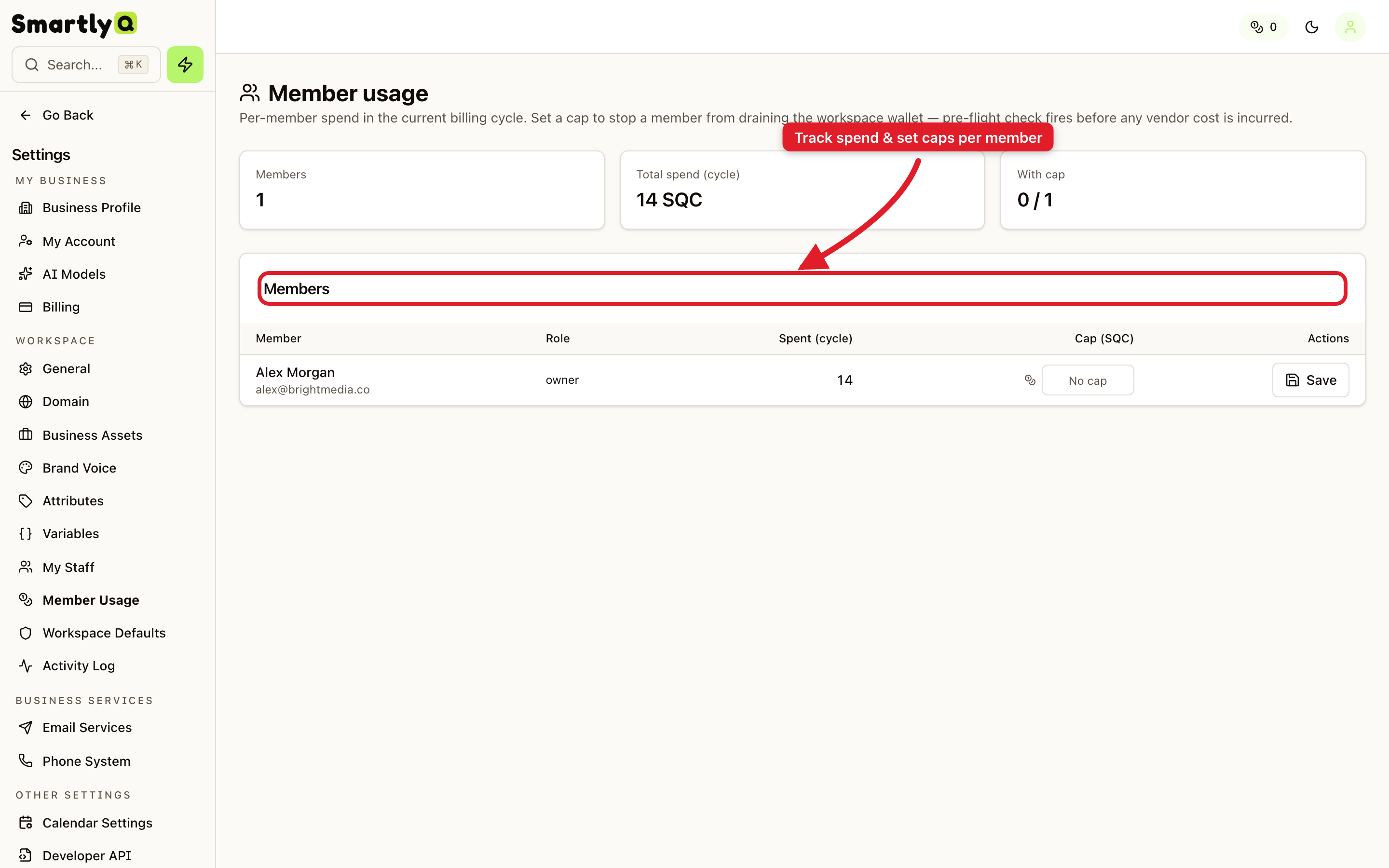
Open Settings from the sidebar, then select the Member Usage tab.
What you can see and do
At the top you get a quick summary:
- Members - how many people are in the workspace.
- Total spend (cycle) - combined credits used this billing cycle.
- With cap - how many members currently have a spend limit set.
The table below lists each member with their role, credits spent this cycle, and a Cap field. To limit someone's spend, enter a number in their Cap column and click Save.
How spend caps work
- The cap is checked before any content is generated, so a member is stopped the moment they would exceed their limit - no surprise overages.
- Leave the cap empty for unlimited spend (within your plan).
- Caps reset each billing cycle.
Tip: Set caps for freelancers or junior team members to keep spend under control, while leaving managers uncapped.